

Inspirated


December 10, 2012

Bro IDS on OpenWRT

Filed under: Blog — krkhan @ 12:59 pm

While I was at SysNet, we had been working on a project we called “Shrimp” — Software-defined Home Router Intelligent Monitoring Point. The goal of the project was to provide a framework for easy programmatic access to network monitoring on low-cost, commodity, home router devices. One of the requirements was to have an IDS on the home routers for which we chose Bro — the leading framework for semantic analysis of network traffic.

The OpenWRT OS was chosen as the target platform. Its SDK contained a cross-compile toolchain for CMake projects. However, during the compilation Bro tried to run the binpac and bifcl executables for processing intermediate files. The executables refused to run on the build platform if the target platform architecture was different (mostly the case, e.g., we were building on x86-64 and target was arm).

The (not-so-pretty ™) workaround we used was to build Bro twice. Once for the host, and once for the target. The CMake files were then patched to first generate binpac and bifcl binaries if they weren’t provided and then use the provided binaries if they were defined at make time. The first compile generated the binaries on x86-64 and the second compile (for arm) used the earlier binaries to process the bif files.

The Makefile and patches are available in this tarball: openwrt-bro.tar.gz, while the compiled ipk package is also available for installation. Here is a test execution of Bro on OpenWRT:

# bro –v
bro version 2.0
# cat test.bro
event bro_init()
{
	print "Hello World!";
}

event new_connection(c: connection)
{
	print "New connection created";
}
# bro test.bro
Hello World!
# bro -i br-lan test.bro
Hello World!
New connection created
# ls
conn.log           notice_policy.log  reporter.log       weird.log
dns.log            packet_filter.log  test.bro

A heap of thanks to Zaafar for dealing with my messy code and providing the links to hosted files :) !

Tags: , , , , , ,

November 14, 2012

Workflow sharing with Synergy

Filed under: Blog — krkhan @ 4:33 am

It has been a while since I’ve posted around here and the reasons have been entirely mundane — got a job, moved to a different country and lost track of everything open-source during the transition.

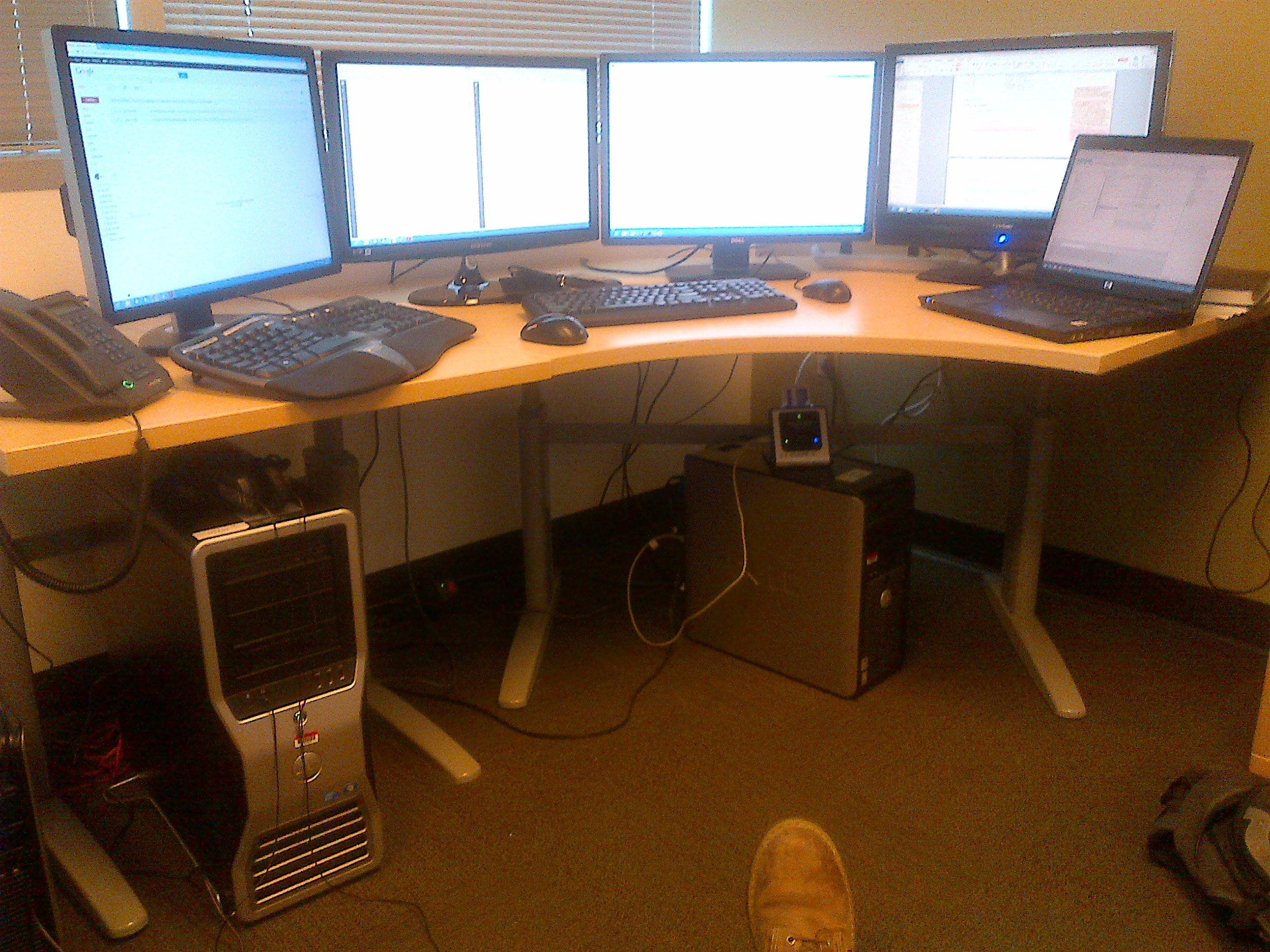
However, open-source is out there and every once a while you’re bound to stumble across gems that make life easier (and fun) no matter which line of work you are in and that’s exactly what happened to me today. Let me admit first, I have a fetish for multiple screens. If it was up to me I would have a circle of screens and sit inside them all day long, just to make revolving chairs lot more exciting. Take that, 3D!

Anyways, the issue with multiple screens is not only having enough video outputs on your graphic card(s), but also the sharing of resources. I want three different machines with different processors, hard-disks, heck even different operating systems to share their I/O devices. One option would be the KVM switches, but that would restrict me to only one “active” machine at a time, plus the switching button is too much of a hindrance in the work flow. Aristotle famously claimed that the whole is greater than the sum of its parts, then cometh Synergy:

Synergy in action
(Click on the thumbnail for larger version.)

Three different machines sharing the keyboard, mouse and clipboard across five different screens and it even works across different platforms! Granted, there are some issues with the configuration which you have to take care about (especially on Windows 7+ platforms with UAC) but once it gets going it becomes one of those cute plus practical toys that make you wonder how you ever lived without them.

Tags: , , , ,

March 18, 2012

slicehosts: Extract host-based traffic out of pcap dumps

Filed under: Blog — krkhan @ 2:56 pm

During the course of my work on botnet security we have had to deal with mammoth traffic traces captured at a local ISP. While analyzing the traffic we needed to extract traffic for some certain hosts out of large pcap files. An obvious solution would be to run tshark once for each host, filtering the traffic for that particular IP and writing it to a separate pcap file. However with the number of hosts approaching thousands and the pcap traces approaching terabytes in size tshark didn’t really fit the bill.

Initially I thought of writing a splitter in Python but my colleague’s aversion for using Python on large network traces coupled with lack of maintenance of libpcap bindings resulted in me going for C/libpcap directly. The new C-based slicer is available at our GitHub respository. It needs glib to compile though, as I needed a hash table implementation for maintaining the list of hosts that need to be sliced. The Makefile in the repository should take care of compiling with the appropriate flags.

Onto the performance, the speed of slicing is only throttled by libpcap‘s own read/write throughput as most of the remaining work is done in constant time. It took only 71 minutes (or 1.1 hours) to slice 1019 hosts out of a 180 GB pcap file on 2.5 GHz CPU. In simpler words, it’s lightning fast.

Right now the script does its job well enough. If someone needs to package it I’ll prefer removing the glib dependency in favor of perhaps glibc‘s own hash table implementation (search.h). In any case, I hope it proves helpful for other people playing with large pcap files.

Tags: , , , , , , , , ,

December 11, 2011

Fix disappearing Compiz skydome at login

Filed under: Blog — krkhan @ 1:49 pm

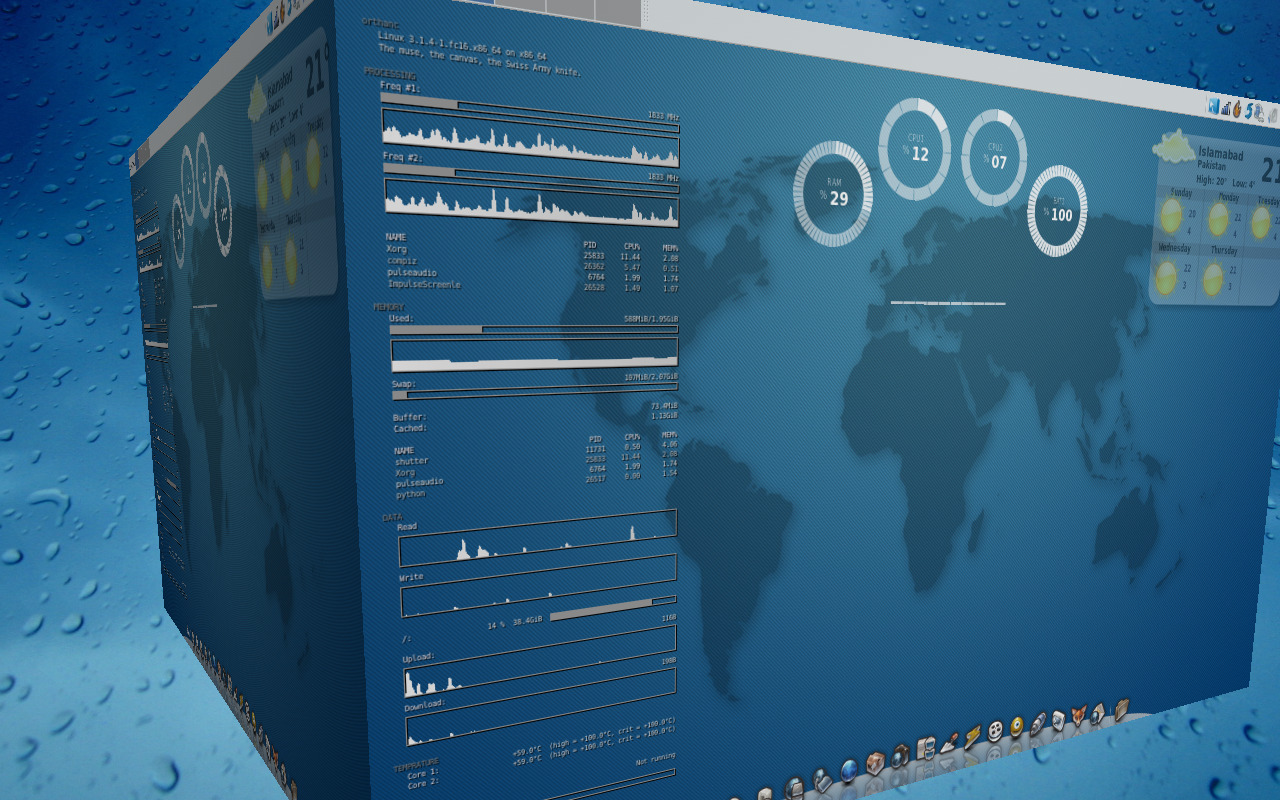
For a little while now I noticed that my Compiz skydome was disappearing whenever I logged in. I could bring it back by disabling and re-enabling the Cube plugin but from a cold-boot I was always greeted to an abysmal looking cube:

Compiz blank skydome
(Click on the thumbnail for larger version.)

A little bit of forensics revealed that the issue lied with the loading order of Compiz plugins. At the moment Compiz does not try to resolve any plugin dependencies at startup, so while the skydome relied on the PNG plugin the latter wasn’t pre-loaded — resulting in a blank background.

The solution was to change the following line in config:

[core]
s0_active_plugins = core;composite;opengl;copytex;decor;vpswitch;mousepoll;firepaint;gnomecompat;resize;compiztoolbox;wobbly;cube;screensaver;shift;scale;regex;imgpng;splash;place;move;obs;animation;rotate;expo;workarounds;freewins;ezoom;session;staticswitcher;

To:

[core]
s0_active_plugins = core;composite;opengl;copytex;decor;vpswitch;mousepoll;firepaint;gnomecompat;imgpng;resize;compiztoolbox;wobbly;cube;screensaver;shift;scale;regex;splash;place;move;obs;animation;rotate;expo;workarounds;freewins;ezoom;session;staticswitcher;

imgpng had to be loaded before cube, giving me back the pretty backdrop for all things 3D:

Compiz PNG skydome
(Click on the thumbnail for larger version.)

Tags: , , , , , ,

November 16, 2011

Useless domains, Dynamic DNS and Netgear

Filed under: Blog — krkhan @ 8:06 pm

A few weeks back I was renewing this blog’s domain name when I was given a coupon code which would grant me a 20%+ discount for orders >75 USD. Now my order was only touching 70, so grabbing a calculator and dutifully acting like a white-collar citizen made me realize that if I ordered another domain my total order would actually cost me lesser than what I already had. Classic case of “more is less” — I ended up with another domain and a total lack of ideas about what to do with it.

Until, I remembered about this picture from 2 years ago:

The Three Musketeers
“Say hello to my little friend!”
(Click on the thumbnail for larger version.)

The ineffectual Eee PC finally found some practical use. Using Dynamic DNS to point expirated.com towards it, I configured lighttpd to serve the website. As for the content I wrote a few Python scripts to monitor the status of the Tor relay and internet connection at my home. Still not terribly useful, but at least the plots for latter give me a nice idea about how my internet is doing when I’m not at home.

The internet router (Netgear DG834) did not support SSH/SCP so I used Python’s telnetlib module to log in to the router and bring back the modem stats. The results are then fed to a maze of regexes, generating values which are finally plotted via matplotlib.

How I wish I had better things to do with a domain name.

Tags: , , , , , ,

October 8, 2011

BBC World Have Your Say: The death of Steve Jobs

Filed under: Blog — krkhan @ 2:15 am

I recall three distinct things about my visit to BBC’s Islamabad Studios today. Kamil’s very friendly support (he kept reassuring me that everyone gets nervous for their first live appearance on television), a minor car accident right beneath the balcony I was standing in and prevalent general confusion about what to do with my hands when I’m on air (I wasn’t sure if they were on screen so couldn’t decide whether to stuff them in my pockets or not). In any case, it was ultra fun:

Tags: , , , , , , , ,

June 15, 2011

BBC World Have Your Say: Cyber War

Filed under: Blog — krkhan @ 2:53 am

Xavier graciously invited me to BBC’s Islamabad Studios again today for discussing the recent developments on the cyber crime landscape. You can listen to the podcast directly or use the player below to stream the audio:

Audio clip: Adobe Flash Player (version 9 or above) is required to play this audio clip. Download the latest version here. You also need to have JavaScript enabled in your browser.

Tags: , , , , ,

May 11, 2011

Gnome 3, Unity and Xfce: The Mass Exodus

Filed under: Blog — krkhan @ 2:35 pm

“Give me your tired, your poor,
Your huddled masses yearning to breathe free,
The wretched refuse of your teeming shore.
Send these, the homeless, tempest-tost to Xfce!”

Tags: , , , , ,

April 28, 2011

BBC World Have Your Say: Sony Playstation Network Hacked

Filed under: Blog — krkhan @ 4:12 am

I was invited to BBC’s Islamabad studios today to participate in their World Have Your Say program regarding Sony’s Playstation Network being hacked. It was really fun, and while I was a little nervous about going on-air live on BBC World Service I tried to explain the difference between PSN and console-homebrew hackers as well as the importance of educating the users about their security. You can listen to the podcast directly or use the player below to stream the audio:

Audio clip: Adobe Flash Player (version 9 or above) is required to play this audio clip. Download the latest version here. You also need to have JavaScript enabled in your browser.

Tags: , , , , , , , , ,

March 30, 2011

GSmolt: A GTK+ frontend for Smolt

Filed under: Blog — krkhan @ 1:46 am

Smolt is a hardware profiler for Linux distributions which makes it easier for end-users to report back their machine configurations to a centralized database. Mike McGrath provides an excellent backend for developing Smolt GUIs which I have coupled with GTK+ for GSmolt:

GSmolt Screenshot
GSmolt Send Screenshot
(Click on the thumbnails for larger versions.)

The script can be found at the gsmolt repository on GitHub. Things on todo list include profile reporting in a separate thread and better error handling. I’ll provide RPM and Deb packages when the code is ready for a public release.

As a side note, this is the first project I have tracked using GitHub (as opposed to Launchpad + Bazaar). While Launchpad has its added advantage of PPAs which make it easier to push out public releases for Debian derivatives, I’m liking the Git experience so far. Hopefully some day Copr shall mature to a point where it can be the end-all, be-all Launchpad alternative for Fedora users.

Tags: , , , , , , , , , , ,
Next Page »