

Inspirated


October 16, 2010

HOWTO: Play PS3 backups with files larger than 4 GB

Filed under: Blog — krkhan @ 8:28 pm

One of the common issues gamers are facing in transferring their backups between their PS3 and PC is the filesize limits for FAT32 filesystems (which happens to be the only one recognized by Backup Manager on external USB drives). Fortunately, a workaround exists for transferring >4GB files to PS3 from USB storage. First of all, you’ll need Comgenie’s Awesome Filemanager. Once you’ve got it up and running you can split any large file in the following manner:

Big.file
Big.file.1.part
Big.file.2.part
Big.file.3.part

Comgenie’s package comes with a file-splitter which splits following the pattern mentioned above. However, the utility runs only on Windows or Wine integrated with Mono. Fellow *nixers can use the handy split to the same effect. Here’s a shell script which I wrote for automating this task:

ps3split.tar.gz

1
2
3
4
5
6
7
8
9
10
11
12
13
14
15
16
17
18
19
20
21
22
23
24
25
26
27
28
29
30
31
#!/bin/sh
 
if [ "$#" -lt "1" ]
then
    echo "Usage: ps3split inputfile"
    exit 1
fi
 
if [ "$(readlink -f .)" == "$(dirname "$(readlink -f "$1")")" ]
then
    echo "Cannot split files in the same directory as original"
    exit 1
fi
 
split --verbose \
      --bytes=4294967295 \
      --suffix-length=1 \
      --numeric-suffixes \
      "$1" "$(basename "$1").part."
 
old="$(basename "$1").part.0"
new="$(basename "$1")"
echo "renaming file \`$old\` -> \`$new\`"
mv "$old" "$new"
 
for old in $(basename "$1").part.*
do
    new=`echo $old | sed 's/^\(.*\).part.\(.\)$/\1.\2.part/'`
    echo "renaming file \`$old\` -> \`$new\`"
    mv "$old" "$new"
done

Use the script by providing it the path of a file you want to split:

[krkhan@orthanc ps3split]$ ./ps3split /mnt/bluray/PS3_GAME/USRDIR/TEKKEN.psarc

creating file `TEKKEN.psarc.part.0′
creating file `TEKKEN.psarc.part.1′
renaming file `TEKKEN.psarc.part.0` -> `TEKKEN.psarc`
renaming file `TEKKEN.psarc.part.1` -> `TEKKEN.psarc.1.part`

Transfer all the splitted files to your external harddisk and then copy the first part (`TEKKEN.psarc` in this case) using Comgenie’s Filemanager. It will automatically recognize the subsequent parts and join them together on the internal harddisk of PS3. I’ve tested the script on Tekken 6 and Red Dead Redemption and it worked flawlessly for both.

Tags: , , , , , , , ,

October 3, 2010

Jailbreaking the Playstation 3 with PSGrooPIC

Filed under: Blog — krkhan @ 3:32 pm

Paraphrasing the definition from The Devil’s Dictionary which was the primary motivation behind the blog name Inspirated:

“PIRACY, n. Commerce without its folly-swaddles, just as God made it.” — Ambrose Bierce

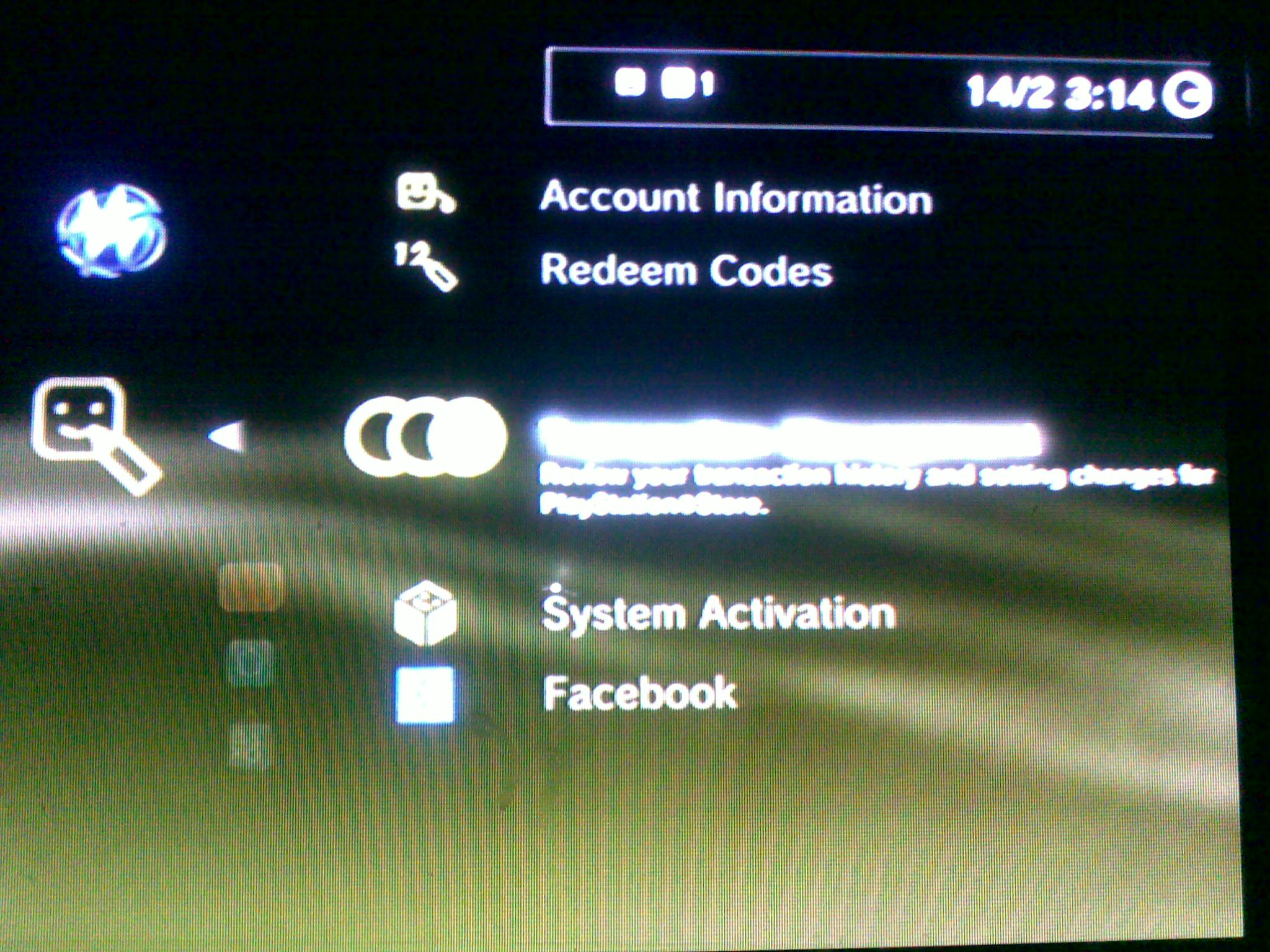
PS3, meet backups. Backups, meet PSGrooPIC:

PSGrooPIC in action
(Click on the thumbnail for larger version.)

Tags: , , , , , , , ,

July 18, 2010

Beta Repository for making Firefox 4 coexist peacefully with 3.6 on Fedora 13

Filed under: Blog — krkhan @ 9:45 pm

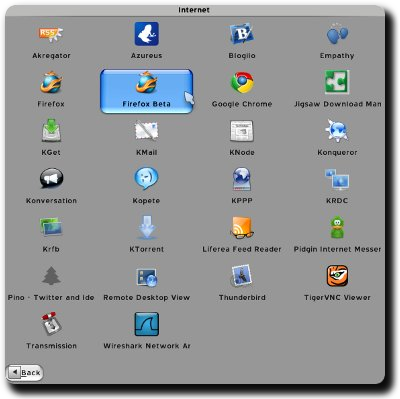
Firefox 4 offers some compelling features such as HTML 5 improvements and a new add-on manager. Since it’s quite painstaking to compile the beta from source and quite messy to place pre-compiled binaries in system default folders (not to mention the compatibility checks and upgrade chores that would interrupt at each launch if you go back and forth between different versions), I created a repository at repo.inspirated.com which can be used to test the beta version without touching any 3.6 stable release already installed on the system:

Firefox 4 Beta 1 Menu Shortcut

To use the repository, issue the following commands:

$ su -c 'wget http://repo.inspirated.com/inspirated.repo -O /etc/yum.repos.d/inspirated.repo'
$ su -c 'yum install firefox-beta'

The beta refuses to run if an instance of old Firefox is already active. Therefore, close the older Firefox and then launch the 4.0b1 version using firefox-beta command or the “Firefox Beta” shortcut in the applications menu. A new profile shall be created at ~/.mozilla/firefox/beta/ in order to leave your older profile’s settings, bookmarks and extensions etc. intact.

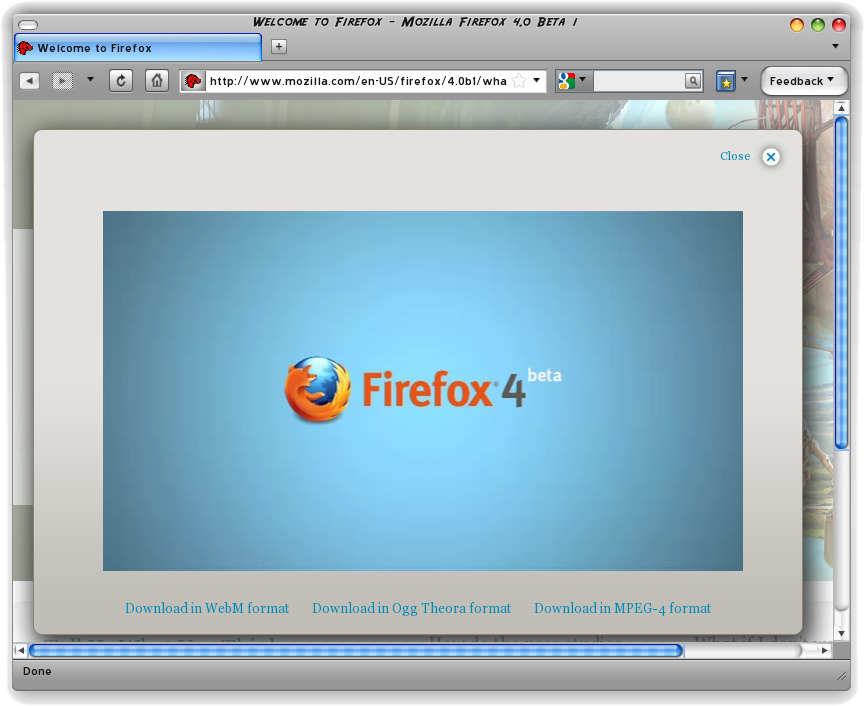
Firefox 4 Beta 1 Screenshot
(Click on the thumbnail for larger version.)

Tags: , , , , , , ,

July 1, 2010

dd: The Ultimate Backup Solution

Filed under: Blog — krkhan @ 7:27 am

Over the 8 years of my acquaintance with computers valuable data has been lost at an average of twice per annum. I have tried all kinds of solution to help my situation only to fail miserably by forgetting to back up some important bits and pieces of information before upgrading my distro.

Backup solutions can mostly be factored into two approaches of archiving and cloning. If space is limited, you can archive your important data using utilities such as tar. This in fact was the approach I had been using until now. The downside appeared to be lesser accessibility of the files inside the backup. Say, I needed a small text-file from a 200 GB archive. It’d take me around 20 minutes to “get” to its location in the archive.

Which is why, I decided to shift to a newer approach. My laptop has a 320 GB hard disk and I own another 320 GB Western Digital Passport for extra data. To utilize the similitude, I bought another 500 GB Passport, transferred the “extra” data to it and then cloned the entire laptop hard disk to its 320 GB external cousin.

$ dd if=/dev/sda of=/dev/sdb

That is all. dd‘s performance was questionable, as it took around 15 hours to clone the entire 320 GB. Nevertheless, this time around I was satisfied with the final backup. Not only was it a bit-by-bit replica of my original data but also an accessible repository which I could access easily by plugging in the USB.

Tags: , , , , , ,

June 27, 2010

Find your most used words in Pidgin logs with Python

Filed under: Blog — krkhan @ 12:08 am

Here’s a quick little script which I wrote to tabulate the word frequencies in Pidgin logs. Simple, you point it towards a contact’s log directory:

$ ./purple-stats.py /home/krkhan/.purple/logs/msn/krkhan\@inspirated.com/some.friend\@some.gmail.com

And it gives you the words in their descending order of usage:

         0: you        (38)
         1: it         (30)
         2: to         (24)
         3: the        (22)
         4: in         (22)
         5: lol        (22)
         6: of         (22)
         7: so         (18)
         8: is         (18)
         9: what       (16)
         ...

As usual, Python was used for the dirty work:

purple-stats.py

1
2
3
4
5
6
7
8
9
10
11
12
13
14
15
16
17
18
19
20
21
22
23
24
25
26
27
28
29
30
31
32
33
34
35
36
37
38
#!/usr/bin/env python
 
from operator import itemgetter
from string import punctuation
 
import locale
import os
import sys
 
from BeautifulSoup import BeautifulSoup
 
if __name__ == "__main__":
    if len(sys.argv) < 2:
        print "usage:", sys.argv[0], "<logs directory>"
    dir = sys.argv[1]
 
    contents = filter(lambda x: x[-5:] == '.html', os.listdir(dir))
    stats = {}
    for entry in contents:
        path = os.path.join(dir, entry)
        with open(path, 'r') as fd:
            data = fd.read()
        soup = BeautifulSoup(data,
            convertEntities=BeautifulSoup.ALL_ENTITIES)
        spans = soup.findAll('span')
        for span in spans:
            for word in span.text.split():
                word = word.strip(punctuation).lower()
                if len(word) < 2:
                    continue
                stats[word] = stats.get(word, 0) + 1
 
    sorted_stats = sorted(stats.iteritems(), key=itemgetter(1))
    sorted_stats.reverse()
    for num, (word, count) in enumerate(sorted_stats):
        line = "%10d: %-10s (%d)" % (num, word, count)
        line = line.encode(locale.getpreferredencoding())
        print line
Tags: , , , , , , , ,

June 4, 2010

How NOT to copy MBR with the dd command

Filed under: Blog — krkhan @ 8:39 pm

Yesterday I needed to copy the MBR of a drive over another. Googling a little I found the following command in various tutorials:

-bash-$ dd if=/dev/sda of=/dev/sdb bs=512 count=1

Where /dev/sda and /dev/sda were the original and target hard disks respectively. The command did complete its work in a snap but it also made me learn a thing about MBR structures the hard way: Only 446 bytes of the MBR contain boot code, the next 64 contain the partition table!

The implications of the lesson being, if partition tables of both hard disks differ — which unfortunately was the case with me — the partition table of the target hard-disk will be overwritten. The correct way would therefore be:

-bash-$ dd if=/dev/sda of=/dev/sdb bs=446 count=1

In case you did mess up the table, I recommend TestDisk for recovering your partitions.

Tags: , , , , , ,

May 6, 2010

GNU Screen + Irssi + PuTTY for Symbian

Filed under: Blog — krkhan @ 1:28 am

A match made in heaven.

Using IRC in a reliable way has turned out to be kind of a challenge for me in the past couple of months. I had my cellphone connected 24/7 to the IRC channels I needed to idle in. Unfortunately, I don’t live in a 3G country so any voice-calls interrupted the whole thing.

I also wanted to use my laptop for IRC-ing whenever I was at home. But the inconsistent internet connection didn’t make thing any easier. There was always this lingering fear of missing important messages during one of the disconnections. I couldn’t foresee a solution which would fix all of the mentioned issues until someone recommended using Irssi along with GNU Screen.

This not only fixed every little issue I had ever had with IRC but also made full utilization of my love for all things command-line. In summary: I now have this “permanent” IRC session running at an SSH server in Lithuania. Whenever I feel like it, I can “attach” my laptop or my mobile and start using Irssi. If I receive any voice-calls, the IRC session still continues to work and I can “reattach” later on. Simply put, the session continues running even when I’m not attached to it through either device and at any time of the day I can simply connect to it and resume working through that day’s IRC activity.

Here’s a screenshot that shows me connected to the #gsoc channel on Freenode first on my laptop and then on my E71 using the same screen session:

Irssi sessions on laptop and mobile

PuTTY for Symbian is used for SSH-ing on the Nokia phone. If I ever rank top 5 situations where CLI absolutely pwns GUI in terms of efficiency and usage, this nifty setup is definitely going to make the list.

Tags: , , , , , , , , ,

April 1, 2010

71 days of E71: Top 10 3rd party applications

Filed under: Blog — krkhan @ 2:05 pm

While I would have sold my clothes, PS2 as well as my soul to get my hands on a N900, I couldn’t strike a practical deal and in the end had to settle for E71. Now, while E71 does not ooze sex by running a full-fledged Linux distro it still does a pretty good job of running Symbian. The specs are fun, the keypad is great and the build quality is nothing but ergonomic love.

After completing 71 days of tinkering with the new phone, I have settled on the choice of apps which would become an integral part of my digital life. I’m listing the top ten here, but the arrangement is in no way meant to be indicative as an absolute index of application quality. These are just the ones that I found useful.

10. ScreenSnap — Honorary Mention

It would be a bit unfair to not list the very application that powers the visual aspects of this post. So here we are with the self-referential snap:

ScreenSnap Screenshot

9. SmsOne — Hassle-Free Flash SMS

“Flash” texts — the ones which always instantly show up on the recipient’s cell and are not saved in the inbox unless specifically made to — have always been a speciality of applications with poor interfaces as well as poorer integration with the rest of the phone. SmsOne, on the other hand, has a simple interface with excellent phonebook integration for making the job as simple as possible.

SmsOne Screenshot

8. Mobipocket MobiReader — eBooks Made Fun

Reading a large PDF file on your E71 is indeed possible, but it takes away any fun whatsoever by forcing you to deal with redundant scrolling and weird font sizes. MobiReader combined with the desktop software Calibre is the ultimate eBook reading experience on Symbian phones.

MobiReader Screenshot

7. Gravity — Pulling Tweets Consistently

The one word for summarizing Gravity would be: slick. Of all the Twitter applications for Symbian — and there are quite a lot — Gravity is the most organized, reliable and pretty-looking competitor around.

Gravity Screenshot

6. PuTTY — That Insane Power in Your Hands

I’m lying down in my bedroom and I want to play this song on the speakers in my drawing room. I’m in my university and I want to start this download on my laptop which is unfortunately back at home. I’m in another city and I want to see the contents of this file which is in my home PC.

I can. Because I have that command-line access at my fingertips:

SmsOne Screenshot

5. mIRGGI — IRC Never Dies

Open-source — being the distributive collaboration that it is — depends heavily on mailing lists and IRC channels for communication. For the latter, mIRGGI works flawlessly. In fact, you can even do fancy stuff like using different network connections for different channels.

mIRGGI Screenshot

4. Python — “It’s …”

For all the comparisons made over the years between Perl and line-noise, Symbian C++ easily beats both by a mile. Which is why your choices are rather limited if you want to program for Nokia phones while preserving your sanity at the same time. Your best bet is to go for Maemo. Unfortunately, that ain’t exactly an affordable option for everyone. The other way is to use PyS60 rely on that programming language which makes every other alternative pine for the fjords.

PyS60 Screenshot

3. MSDict Viewer — Dictionaries which Help

A dictionary is one of the least useful things you can carry around. Even with one of them installed on your phone, they rarely get used. Similarly, the pronunciation guides used in those dictionaries are cryptic symbols at best. Add the ability of audio pronunciations and you suddenly have a lovely app referring which almost becomes an addiction.

MSDict Viewer Screenshot

2. Google Maps — Never Lose Yourself

For people who’re not especially good with directions, there couldn’t have ever been a better solution:

Google Maps Screenshot

1. Opera Mobile — Synonym for Excellence

Even if this list is tailored more to my requirement, get some hundred people to make similar ones and Opera will be the topper in majority of the rankings. Opera bridges that gap between mobile browsing and real browsing and is one of those applications which epitomize how software should be engineered.

Opera Mobile Screenshot

Tags: , , , , , , , , , , , , , , , ,

March 8, 2010

Using overlays for source code listings in LaTeX Beamer

Filed under: Blog — krkhan @ 9:33 pm

The standard way of including source code listings in Beamer is to use the semiverbatim environment. Needless to say, it does not provide all the syntax highlighting and line-numbering love of the listings package. Combine the two and you have something pretty as well as extremely helpful in delivering presentations which have code:

1
2
3
4
5
6
7
8
9
10
11
12
13
14
15
16
17
18
19
20
21
22
23
24
25
26
27
28
29
30
31
32
33
34
35
36
37
38
39
40
41
42
43
44
45
46
47
\documentclass{beamer}
 
\setbeamercovered{transparent}
 
\usepackage{pxfonts}
\usepackage{listings}
 
\begin{document}
 
\lstset{language=python,
        numbers=left,
        numberstyle=\tiny,
        showstringspaces=false,
        aboveskip=-40pt,
        frame=leftline
        }
 
\begin{frame}[fragile]
\frametitle{\texttt{parrot.py}}
\begin{semiverbatim}
\pause
\begin{lstlisting}
if __name__ == "__main":
 
\end{lstlisting}
 
\pause
\begin{lstlisting}[firstnumber=last]
    print "Oh yes, the, uh,
           the Norwegian Blue..."
    print "What's, uh...
           What's wrong with it? "
 
\end{lstlisting}
 
\pause
\begin{lstlisting}[firstnumber=last]
    print "I'll tell you what's wrong with it,
           my lad."
    print "'E's dead,
           that's what's wrong with it!"
 
\end{lstlisting}
\end{semiverbatim}
\end{frame}
 
\end{document}

Overlayed Listings in Beamer

Tags: , , , ,

February 26, 2010

Facebook Friends Graph v0.2 — Deb and RPM packages for Ubuntu and Fedora

Filed under: Blog — krkhan @ 2:36 am

Thanks to Christoph Korn, Ubuntu users can now install the package with a single click from the GetDeb repository. The Deb file itself is available on the release page here, along with an RPM for Fedora users.

The looks:

Facebook Friends Graph v0.2 Screenshot

And the hooks:

Changelog:

  • Fixed:
    • Bug #522735: Facebook: Application Request Limit Reached
    • Bug #523378: Connection reset by peer
    • Bug #522487: Facebook Friends Graph fails when friends have a dash in their name [patch by Little Jawa]
Tags: , , , , , , , , , , , , , , ,
« Previous PageNext Page »